
Read-only by design
Exactly three approved reads plus one update notification, allowlisted before they ever reach Codex. No task control, no account changes, ever.
Free & open source · GPL-3.0 · Linux
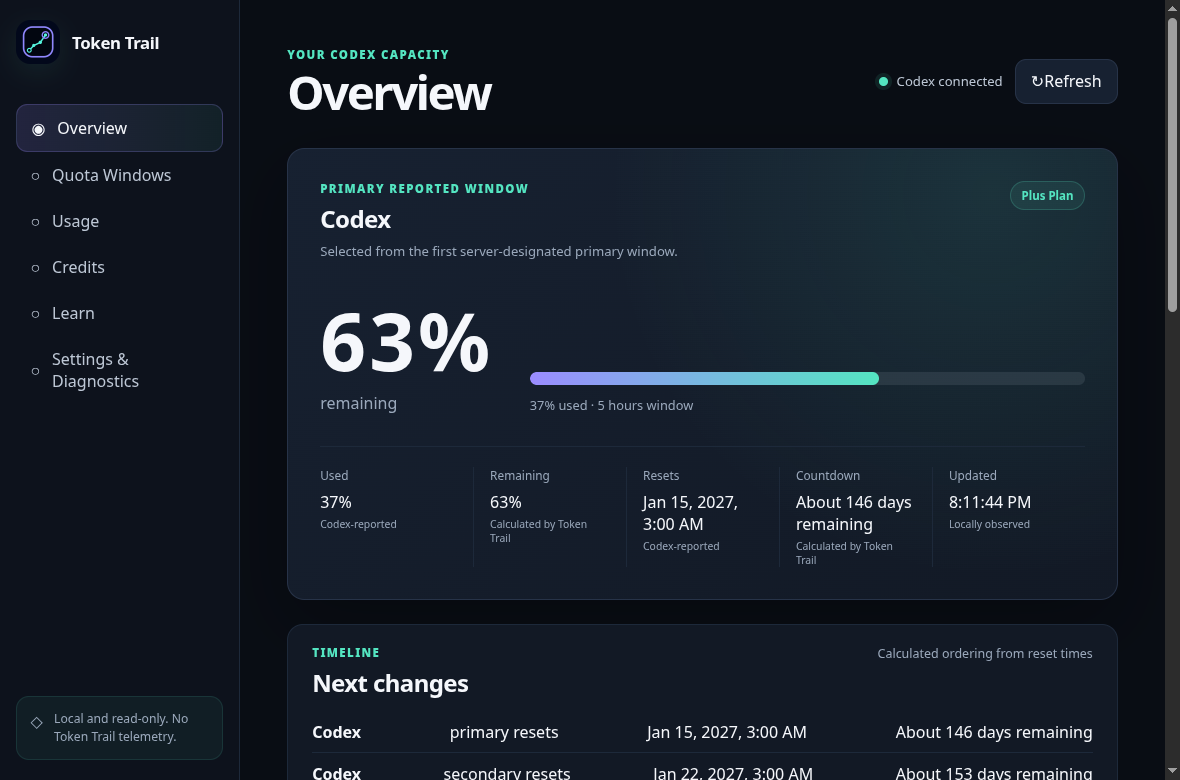
Token Trail is a read-only desktop dashboard that shows your local OpenAI Codex usage clearly: quota windows, token activity, reset times, and credits. It reads only what it must, keeps everything in memory, and never sends your data anywhere.
v2.0.0 · available for Linux
Exactly three approved reads plus one update notification, allowlisted before they ever reach Codex. No task control, no account changes, ever.
Usage snapshots live only in RAM while Token Trail runs. Close the app and they are gone: no history file, no cache, nothing to sync.
Token Trail has no telemetry, analytics, or automatic update checks. Its packaged interface uses local assets. Codex manages its own connections.
These counts describe Token Trail. Codex manages its own authentication and network traffic; temporary preference files, exports, and runtime files are outside the preferences count.
Every value states where it came from, whether that is reported by Codex, observed locally, or calculated by Token Trail. Missing values stay visibly unavailable instead of pretending to be zero.
Quota windows with used/remaining percentages, reset times, countdowns, provenance labels, and freshness states on one calm screen.
Grouping, sorting, raw-safe details, a reset timeline, attention ordering, and session-change observations kept in memory only.
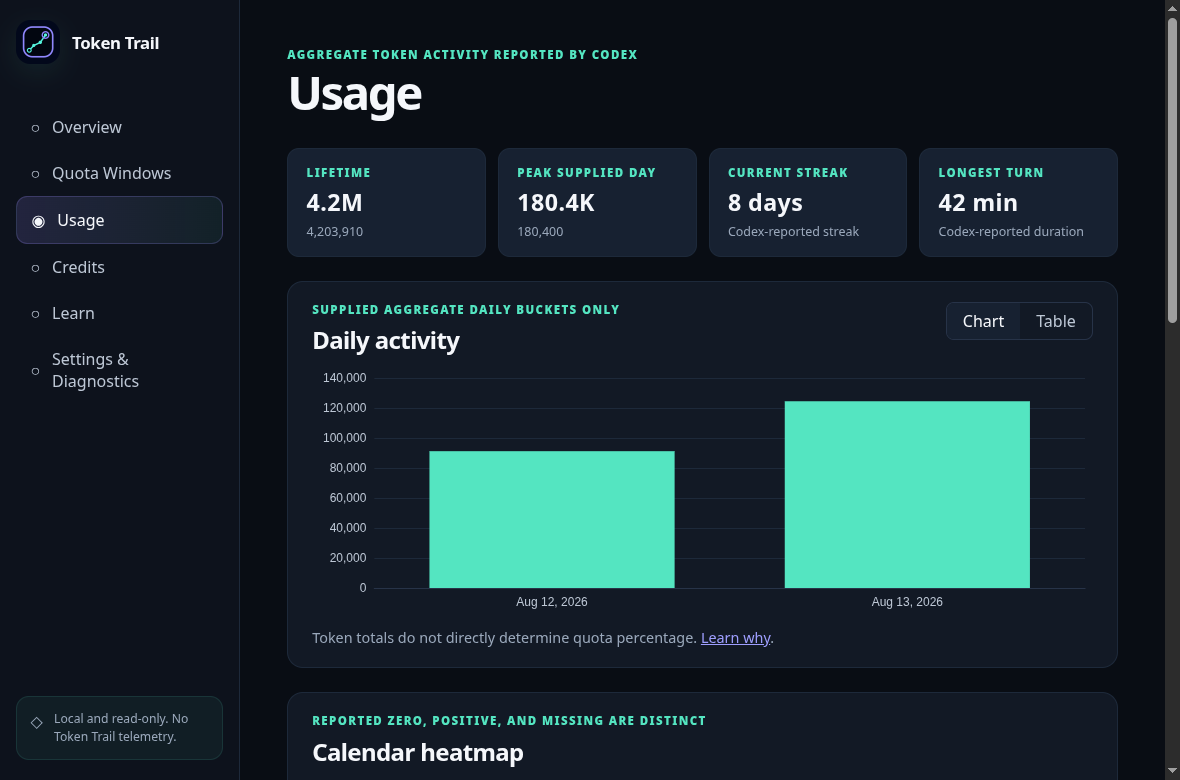
Date ranges with a daily chart, calendar heatmap distinguishing real zeros from missing days, accessible tables, statistics, and coverage reporting.
Balance, unlimited state, spending limits, reached state, and reset-credit expiry using the exact seven-day display rule.
Built-in explanations of quotas, tokens, credits, provenance, privacy, and statistics, linked contextually from the metrics themselves.
Light/dark/system themes, working automatic refresh intervals, and a fully previewed redacted diagnostics export. Clear-data wipes your preferences after confirmation.
Approved reads, validated responses, and a sandboxed interface.
Local data flow
Read requests go to Codex. Validated results come back to Token Trail.
An app-server started and stopped by Token Trail. Codex handles authentication and its own network traffic.
Allowlist outgoing data requests. Validate responses and keep approved display fields.
Quota windows, aggregate usage, and credits. Usage snapshots stay in memory while the app runs.
Account information, rate-limit windows, and aggregate usage. The startup handshake establishes the connection; data requests are allowlisted and responses are validated before display.
Display choices live in a preferences document with no usage values. Saves may use temporary or recovery files; diagnostics are written only when you choose to export them.
Authentication belongs entirely to Codex. Token Trail does not ask for login credentials or read Codex credential files. Codex handles authentication.
The approved data reads do not request prompt text, responses, tasks, repository contents, tool calls, transcripts, or browser sessions.
The support export comes from a fixed allowlist of fields, structurally excludes identifiers and paths, and you preview it fully before saving.
Sandboxed renderer, context isolation, strict self-hosted CSP, deny-by-default navigation and permissions, single-instance lock, Electron fuses.
Choose a date range, refresh on your schedule, and read clearer usage and diagnostics.
Inclusive start and end dates filter the daily chart, table, heatmap, statistics, comparisons, and coverage together. Reset to all supplied dates at any time.
Automatic refresh follows your settings. Rapid preference edits save in order, late replies cannot replace newer data, and recoverable preferences survive read failures.
Signed changes, large token tooltips, calendar dates, missing-day coverage, and credit controls now preserve their intended meaning. Stale values are labeled across data screens.
Diagnostics describe observed capabilities and completed refreshes. Learn search keeps keyboard focus, reduced motion is respected, and website copy failures have honest feedback.
Four package formats, two architectures (x64 and arm64). Artifacts are unsigned, so checksums are the integrity mechanism: download from GitHub Releases and verify before running anything.
uname -mx86_64 → x64 builds (amd64) · aarch64 → arm64 builds
Grab an artifact and SHA256SUMS.txt from the Releases page, then:
sha256sum -c SHA256SUMS.txt --ignore-missingEvery file you downloaded must print OK.
Token Trail needs a working, signed-in OpenAI Codex CLI on your PATH:
codex --version && codex loginAny distribution · portable
chmod +x tokentrail-*-linux-x86_64.AppImage
./tokentrail-*-linux-x86_64.AppImageNeeds a compatible FUSE setup, or use the extract-and-run fallback.
Debian · Ubuntu · Mint
sudo apt install ./tokentrail-*-linux-amd64.debRuntime libraries resolved automatically by apt.
Fedora · openSUSE
sudo dnf install ./tokentrail-*-linux-x86_64.rpmOn openSUSE use sudo zypper install … instead.
Arch · CachyOS · Manjaro
sudo pacman -U tokentrail-2.0.0-linux-x64.pacmanInstalled via pacman's local-package mode.
Note: "Source code (zip / tar.gz)" links on release pages are repository snapshots, not runnable builds.
Token Trail 2.0.0 is the current release. It adds working usage date ranges and automatic refresh scheduling, improves Codex process cleanup and preference recovery, and corrects token calculations, credit states, diagnostics, and accessible navigation. Release 2.0.0 is available now. It includes four Linux package formats for x64 and arm64, SHA-256 checksums, build provenance, a CycloneDX SBOM, and detailed notes for every audited fix. Usage remains read-only and in memory. Artifacts remain unsigned; arm64 execution and native package installation campaigns remain unverified.
Everything about how Token Trail works is written down and versioned with the code.
Free, open source, and local-only. Download an artifact, verify its checksum, and meet your quota windows on your own desktop.